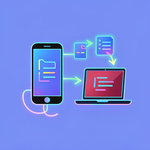
Speedy Transfer
Partage rapide de fichiers en local entre votre PC Windows et votre smartphone.
Captures d'écran
Fonctionnalités
Transferts via Wi-Fi local
Transférez du contenu entre votre PC Windows et votre smartphone entièrement via le même réseau Wi-Fi local.
Prise en charge étendue des fichiers
Envoyez des textes, images, fichiers audio, vidéos et tout type de fichier jusqu’à 500 Mo.
Connexion par code QR
Scannez un code QR sur votre téléphone pour vous connecter instantanément, sans installer d’application sur mobile.
Envoi en temps réel
Envoyez et recevez du contenu en temps réel grâce à la technologie WebSocket.
Historique des transferts
Parcourez et recherchez l’intégralité de votre historique de transferts par date.
Nettoyage groupé
Supprimez plusieurs messages et fichiers à la fois ou effacez-les tous en un seul geste.
À propos
Speedy Transfer simplifie le partage de fichiers entre votre PC Windows et votre smartphone. Connectez les deux appareils au même réseau Wi-Fi, ouvrez l’application et commencez le transfert — sans câble, sans stockage cloud et sans compte requis. L’interface familière, inspirée des applications de messagerie, vous permet d’envoyer et de recevoir facilement des messages texte, des photos, des vidéos, des enregistrements audio et tout type de fichier, le tout en temps réel. Tout reste sur votre réseau local, pour préserver la confidentialité de vos données et profiter de transferts ultrarapides. Points forts : • Fonctionne entièrement sur votre réseau Wi-Fi local : rien ne quitte votre domicile ou votre bureau • Prend en charge les textes, images, fichiers audio, vidéos et tout fichier jusqu’à 500 Mo • Scannez un code QR sur votre téléphone pour vous connecter instantanément — aucune installation d’application requise sur mobile • Livraison en temps réel grâce à la technologie WebSocket • Interface de discussion épurée et sans distraction, inspirée des applications de messagerie familières • Parcourez et recherchez l’intégralité de votre historique de transferts par date • Supprimez plusieurs messages et fichiers à la fois ou effacez-les tous en un seul geste • Disponible en 9 langues : anglais, chinois simplifié, chinois traditionnel, japonais, coréen, français, allemand, espagnol et italien Que vous souhaitiez transférer des photos de votre téléphone après un voyage, partager des documents entre votre bureau et votre ordinateur portable ou envoyer rapidement un lien à quelqu’un à l’autre bout de la pièce, Speedy Transfer s’en charge en quelques secondes.
Foire Aux Questions
Comment Speedy Transfer connecte-t-il les appareils ?
Connectez votre PC Windows et votre smartphone au même réseau Wi-Fi, puis ouvrez l’application. Vous pouvez scanner un code QR sur votre téléphone pour vous connecter instantanément.
Que puis-je transférer ?
Vous pouvez transférer des messages texte, des photos, des vidéos, des enregistrements audio et tout type de fichier jusqu’à 500 Mo.
Speedy Transfer utilise-t-il un stockage cloud ?
Non. Les transferts restent entièrement sur votre réseau Wi-Fi local et aucun compte n’est requis.
Puis-je rechercher des transferts précédents ?
Oui, vous pouvez parcourir et rechercher l’intégralité de votre historique de transferts par date.
Confidentialité et exigences
- Confidentialité
- Tout reste sur votre réseau local : rien ne quitte votre domicile ou votre bureau.
- Langues
- Chinese (Simplified), Chinese (Traditional), English (United States), French, German, Italian, Japanese, Korean, Spanish